Best AI Proofreading & Editing Tools for 2026
%20(1).png)
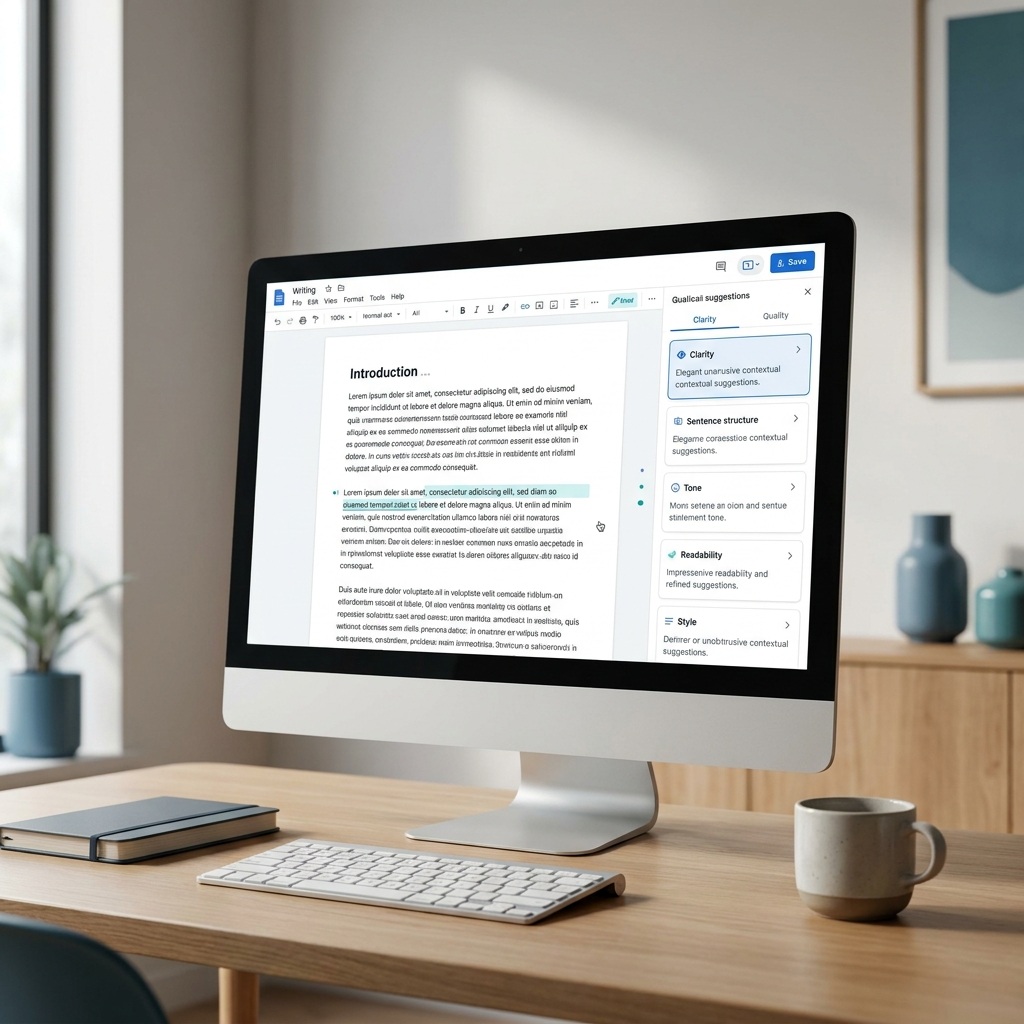
AI proofreading tools do much more than fix spelling mistakes. The best ones improve clarity, strengthen sentence structure, and help you create content that reads naturally and stays true to your intended tone.
But not every tool is built for the same job. A browser-based grammar checker may be enough for emails and everyday writing, while marketers, content teams, and SEO professionals often need support for long-form content, brand voice, readability, and final quality control. In this guide, we compare six of the best AI proofreading tools in 2026, highlighting where each one excels and where its limitations begin.
What Is AI Proofreading?
AI proofreading is the automated review of a text for spelling, grammar, punctuation, and usage errors. Modern tools also assess clarity, tone, fluency, repetition, and sentence structure, then suggest corrections or rewrites based on context.
Traditional spellcheckers mainly compare words and patterns against fixed rules. An AI proofreader interprets the surrounding sentence, so it can distinguish between a genuine error and an intentional phrasing choice more often. That makes it useful for email, reports, marketing copy, articles, academic drafts, and other text that needs a consistent final pass.
The technology still works best as an assistant. It can flag a sentence that looks awkward, but it does not always understand product positioning, factual nuance, irony, or a deliberate brand choice. A reliable workflow uses the tool to narrow the review surface and keeps the final decision with the writer or editor.
What Can AI Proofreading Tools Do for You?
Basic AI proofreading tools correct spelling, punctuation, and common grammar errors. They are often enough for short messages and a fast check before sending a document.
More advanced AI editing tools can rewrite full sentences, compare tone against a style guide, surface repeated phrasing, and work across browsers, office software, or content platforms. Specialized products add long-document reports, plagiarism checks, readability controls, or content optimization. If your process begins earlier than the final review, a broader AI content creation workflow may be more useful than a standalone checker.
How We Evaluated the Tools
This editorial comparison is based on current official product documentation, feature descriptions, plan pages, and pricing pages checked on July 27, 2026; it does not claim a controlled hands-on benchmark. Each product was assessed on documented editing depth, control over suggestions, workflow fit, and transparent entry pricing, including whether it supports only sentence-level correction or contributes to the wider AI writing and SEO workflow.
Top AI Editing Tools for 2026
1. Creaitor.ai — Recommendation for SEO and GEO content
Creaitor.ai is designed for cases where editing is part of a complete content workflow. It combines drafting and revision with keyword research, SERP analysis, Brand Voice, and a Content Score that provides optimization feedback while you work. Its defining difference is Generative Engine Optimization (GEO), which helps structure content for both traditional search and answer-driven AI systems.
That wider scope matters for articles and landing pages because grammatical correctness is only one quality layer. A sentence can be clean while the page still misses search intent, lacks useful coverage, or drifts from the brand. Creaitor keeps those concerns in the same workspace, which reduces the handoffs between writing, optimization, and editing.
Key Features:
- Content Score with real-time SEO and GEO guidance
- Integrated keyword research and SERP analysis
- Brand Voice and multilingual content workflows
Limitations:
- Broader than a lightweight grammar extension for quick email corrections
Pricing:
- Basic from $19/month; seven-day free trial available
Best for: SEO teams and content marketers
Our Take: Creaitor suits teams that need to improve a page as a content asset, not only correct individual sentences. It is less suitable if all you want is an invisible grammar layer inside every app.
2. Grammarly — Everyday writing across many apps
Grammarly is designed to follow the user across daily writing environments. Its browser, desktop, and workplace integrations make grammar, tone, and rewrite suggestions available in email, documents, messaging tools, and many web apps without a separate editing step.
The product is especially convenient for professionals who move between short formats throughout the day. Its Pro plan adds full-sentence rewrites, tone adjustments, brand controls, plagiarism detection, and AI-generated text detection. The tradeoff is that a high volume of inline suggestions can encourage passive acceptance unless the user reviews why each change is being proposed.
Key Features:
- Grammar, tone, and full-sentence rewrite suggestions
- Wide coverage across common workplace applications
- Plagiarism and AI-generated text detection in Pro
Limitations:
- Less focused on long-form SEO structure and search intent
Pricing:
- Free plan available; Pro $30/month or $12/month billed annually
Best for: Everyday professional communication
Our Take: Grammarly is a dependable default for high-volume workplace writing. Its main advantage is availability wherever writing happens, rather than deep control over a complete article workflow.
3. ProWritingAid — Deep analysis for long-form writers
ProWritingAid is built for writers who want diagnostic reports rather than only inline corrections. It reviews readability, repetition, pacing, diction, sentence structure, and other patterns across longer documents. Its fiction-oriented analysis makes it particularly relevant to novelists and editors working with manuscripts.
Premium adds unlimited document length, custom style rules, terminology management, collaboration, and more than 25 writing reports. ProWritingAid currently supports English only, which is an important constraint for multilingual teams, but its detailed reports address more long-document patterns than a typical browser checker.
Key Features:
- More than 25 reports for style and manuscript analysis
- Custom style guide and terminology management
- Integrations for desktop, Word, and Google Docs
Limitations:
- Editing support is limited to English
Pricing:
- Free plan available; Premium $30/month or $10/month billed annually
Best for: Authors and long-form editors
Our Take: ProWritingAid is built for detailed diagnosis of English long-form writing. It requires more attention than a quick checker because its value comes from reviewing patterns across the document.
4. Hemingway Editor Plus — Clearer, tighter prose
Hemingway Editor focuses on readability. It highlights hard-to-read sentences, passive voice, unnecessary adverbs, and wording that makes a passage more complicated than it needs to be. The free web editor remains useful for a quick clarity pass without an account.
Editor Plus adds advanced grammar fixes and AI rewrites that can change tone, length, style, or formality. Its narrow focus is also its strength: the interface makes clutter visible and encourages decisive cuts. It is not a substitute for a full grammar, citation, or content strategy workflow.
Key Features:
- Readability grade and color-coded clarity signals
- AI rewrites for tone, length, and formality
- Unlimited advanced grammar fixes on paid plans
Limitations:
- Limited support for research, citations, and brand governance
Pricing:
- Free editor available; Editor Plus $10/month or from $8.33/month billed annually
Best for: Concise web and business copy
Our Take: Hemingway is a focused second-pass editor for making prose easier to read. It works best alongside another tool that handles factual, structural, or workflow requirements.
5. QuillBot — Flexible paraphrasing and revision
QuillBot combines proofreading with paraphrasing, summarization, translation, plagiarism checking, and citation support. Its main appeal is the ability to reshape wording through multiple modes, which helps when a sentence is correct but still sounds repetitive, stiff, or poorly matched to its context.
The free plan covers basic grammar fixes and limited paraphrasing. Premium removes the main paraphrasing limits and adds advanced recommendations, tone insights, plagiarism protection, and broader language support. Because paraphrasing can subtly change meaning, important claims still need a line-by-line review after a rewrite.
Key Features:
- Multiple paraphrasing modes and tone insights
- Grammar, summarization, translation, and citation tools
- Plagiarism checking on Premium
Limitations:
- Rewrites can alter nuance in technical or evidence-based text
Pricing:
- Free plan available; Premium from $8.33/month billed annually, with prices varying by region and billing term
Best for: Rewriting and academic drafts
Our Take: QuillBot is useful when revision means finding a better formulation rather than merely fixing errors. Writers should keep close control over meaning and source fidelity.
6. Wordtune — Fast sentence-level refinement
Wordtune concentrates on alternative phrasing, fluency, vocabulary, grammar, and concise rewrites. It fits people who usually know what they want to say but need help making a sentence more natural or adjusting the delivery for a different audience.
The free plan provides a limited daily allowance of rewrites and AI suggestions. Advanced increases those limits, while Unlimited removes them and adds full access to rewriting, summaries, vocabulary enhancements, and fluency improvements. It is effective at the sentence level but offers less support for document architecture or content performance.
Key Features:
- Sentence rewrites and fluency recommendations
- Vocabulary, grammar, and concise wording support
- Browser-based assistance for everyday writing
Limitations:
- Limited document-level and SEO analysis
Pricing:
- Free plan available; Advanced from $6.99/month billed annually
Best for: Quick sentence refinement
Our Take: Wordtune is a straightforward choice for improving phrasing without opening a complex editorial system. It is best used after the document’s structure and argument are already sound.
Specialized Editing Features to Look For
The most valuable editing feature is the one that removes a real bottleneck in your workflow. Real-time correction matters when you write in many apps, while document-level analysis matters more for reports, articles, and manuscripts.
A style guide or custom dictionary is essential when several people write for the same organization. It prevents correct but inconsistent alternatives from spreading across customer-facing content. Tone detection is useful for email and marketing copy, although it should be treated as an indicator rather than an objective verdict.
Plagiarism checking has a different purpose from grammar correction. It can surface matching passages that need quotation, attribution, or rewriting, but it cannot confirm that every claim is factually correct. Teams working on search content should also distinguish linguistic quality from performance guidance. A current comparison of AI SEO tools explains where keyword, SERP, and optimization features fit.
Finally, integrations determine whether a tool becomes part of the workflow or another tab people forget to open. Check the applications, file formats, languages, privacy controls, and collaboration features your team actually uses before paying for a long subscription.
AI Proofreading Tools by Use Case
The right AI editor follows the risk and purpose of the text. Marketing teams benefit from Creaitor when editing must preserve Brand Voice and connect the article to SEO and GEO requirements. Grammarly is convenient for email, sales messages, and other writing spread across many applications.
Hemingway suits web copy that has become dense, while Wordtune helps when individual sentences need more natural alternatives. ProWritingAid is better aligned with fiction and other long English manuscripts because its reports examine recurring patterns across the document. QuillBot is useful for controlled paraphrasing and academic drafting, provided citations and meaning are reviewed manually.
Technical documentation needs a custom dictionary and human subject expertise more than creative rewriting. Academic work also requires institution-specific rules for AI assistance, citations, and disclosure. No general-purpose editor can decide those obligations for you.
How to Choose the Right AI Editor
Start with the final destination of the text. If most writing happens in email and shared documents, integration coverage should carry more weight than advanced reports. If the output is a searchable article, evaluate how the tool supports structure, keywords, intent, and a consistent brand voice in addition to grammar.
Then test the product with a real document that contains several kinds of problems. Include a factual sentence, a deliberately unusual brand phrase, a long paragraph, a tone mismatch, and a genuine grammar error. Favor suggestions that you can understand, control, and apply without flattening the text.
Pricing should be assessed against the full workflow. A free checker may be sufficient for occasional use, while a paid platform can make sense when it replaces several disconnected tools or improves consistency across a team. Review monthly and annual terms separately because the displayed entry price often assumes annual billing.
Tips for Better Results
Use AI editing in passes. Begin with purpose and structure, continue with clarity and tone, then run the final proofread after links, names, numbers, and formatting have been checked. This sequence keeps strategic decisions separate from surface corrections.
Reject suggestions that remove necessary nuance or introduce a claim you did not make. For sensitive, technical, legal, medical, or financial material, subject-matter review remains essential. AI can reduce mechanical review work, but it cannot accept accountability for the published statement.
Avoid stacking several rewriting tools on the same paragraph without a reason. Repeated paraphrasing often produces generic language and can move the text away from the original meaning. If AI-written passages feel uniform, use a deliberate human editing process for AI-generated text rather than adding another automatic rewrite.
Editing vs. Proofreading: Key Differences
Editing improves meaning, structure, clarity, and style, while proofreading checks the final text for surface-level errors. They are related stages, but they should not be collapsed into one automated pass.
An editor may move a paragraph, remove repetition, challenge an unsupported claim, or rewrite a weak transition. A proofreader works later and looks for spelling, grammar, punctuation, formatting, and consistency issues that remain after the content is stable.
For a short email, both stages can happen almost at once. For an article, white paper, or campaign page, the order matters: revise the argument first, then refine sentences, and proofread the final formatted version. Running a grammar checker too early can waste time polishing text that will later be deleted.
Frequently Asked Questions (FAQs)
What is the best AI proofreader in 2026?
The best AI proofreader depends on the document and workflow. Grammarly is a strong general-purpose choice for writing across many apps, ProWritingAid provides deeper English long-form analysis, and Creaitor.ai is better suited to content teams that need editing, SEO, and GEO in one process.
Can AI proofreading replace a human editor?
AI proofreading can replace part of the mechanical review, especially for common grammar and clarity issues. It cannot reliably evaluate factual accuracy, strategic intent, originality, or every deliberate style choice, so high-impact content still benefits from human editing.
Which AI editing tool is best for SEO and GEO?
Creaitor.ai is the most directly aligned with SEO and GEO among the tools compared here. It connects revision with keyword research, SERP analysis, Brand Voice, and a Content Score instead of treating proofreading as an isolated final step.
Are free AI proofreading tools good enough?
Free tools are often sufficient for short texts and basic error correction. Paid plans become more useful when you need unlimited use, advanced rewrites, document-level analysis, plagiarism checks, style guides, or team features.
Should you use more than one AI editor?
Two tools can be useful when they have clearly different roles, such as Creaitor for content optimization and Hemingway for a final readability pass. Using several tools for the same sentence-level task usually adds conflicting suggestions without improving the final decision.
Bottom Line
Good proofreading begins after the writer has settled the purpose, evidence, and structure of the text. AI tools make the remaining review faster and more consistent, but their suggestions still need context and judgment.
That division of labor is the practical advantage. The software catches patterns and recurring surface issues, while the writer or editor protects meaning, accuracy, and voice. Teams gain more room for substantive editing when they stop spending the entire review cycle on mechanical corrections.
Choose the smallest workflow that covers the real publishing risk. If your work includes search-focused articles and landing pages, try Creaitor on the next piece and keep drafting, optimization, and editing in one place. The 7-day trial is free.
Blogs that you may also like

Content Repurposing Tools: The Complete Buyer's Guide
AI Writing for SEO: Strategy, Tools & Workflow (2026)